
The world of Health, Safety, and Environment management is rapidly evolving towards HSE Digital Transformation. Organizations are moving away from paper-based systems, disconnected spreadsheets, and manual reporting processes toward integrated digital ecosystems that improve collaboration, compliance, visibility, and operational efficiency.
As industries continue to face increasing regulatory requirements, workforce expansion, remote operations, and rising expectations for operational excellence, the need for effective digital transformation in HSE management has become more important than ever.
One of the most practical and accessible technologies driving this transformation is Microsoft 365.
Microsoft 365 provides a powerful digital workplace ecosystem that enables safety professionals, operational teams, supervisors, management, contractors, and workers to collaborate effectively whether they are working online or offline.
From incident reporting and inspections to audits, training management, corrective actions, risk assessments, document control, and real-time dashboards, Microsoft 365 offers tools that support modern HSE management systems.
In this article, we will explore:
- What HSE digital transformation means
- Why Microsoft 365 is ideal for HSE management
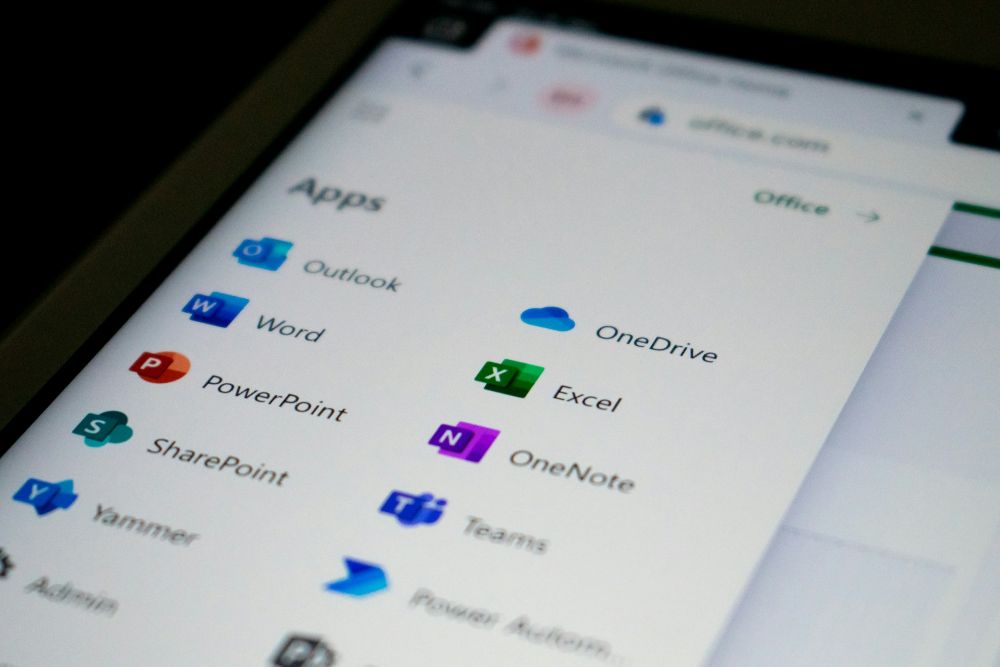
- The role of OneDrive, SharePoint, Teams, Excel, Outlook, and Power BI
- How offline and online collaboration improves safety participation
- Benefits of digital document control
- Real-time collaboration for safety teams
- How Microsoft 365 supports ISO compliance
- Practical use cases for HSE professionals
- Why organizations should modernize their HSE systems
If you are a safety professional, HSE manager, ISO consultant, operations leader, or business owner looking to modernize your workplace safety management system, this guide will help you understand how Microsoft 365 can support your digital transformation journey.
Table of Contents
What Is HSE Digital Transformation?
HSE digital transformation refers to the integration of digital technologies into workplace health, safety, environmental, and quality management processes.
Instead of relying on manual paperwork, disconnected files, and reactive reporting systems, organizations use digital platforms to streamline workflows, centralize information, improve communication, automate reporting, and support data-driven decision-making.
Digital transformation in HSE can include:
- Digital incident reporting systems
- Electronic inspections and audits
- Corrective action tracking
- Safety dashboards and analytics
- Real-time reporting
- Mobile safety inspections
- Digital permit-to-work systems
- Online training management
- Centralized document management
- Risk assessment systems
- Automated notifications and approvals
The goal is not simply to replace paper with software. The goal is to create a connected safety ecosystem where workers actively participate in managing workplace safety.
Why Microsoft 365 Is Powerful for HSE Digital Transformation
Many organizations already use Microsoft products such as Word, Excel, Outlook, and PowerPoint. However, they often underutilize the full Microsoft 365 ecosystem.
Microsoft 365 goes beyond office productivity. It creates a collaborative digital environment where teams can work seamlessly across departments, locations, devices, and operational environments.
For HSE professionals, Microsoft 365 provides:
- Offline and online productivity
- Secure cloud storage
- Team collaboration
- Document control
- Real-time communication
- Workflow automation
- Dashboard visualization
- Mobile accessibility
- Integration capabilities
- Data security and compliance support
The ecosystem includes powerful tools such as:
- OneDrive
- SharePoint
- Microsoft Teams
- Excel
- Word
- PowerPoint
- Outlook
- Power BI
- Power Apps
- Power Automate
Together, these tools can form the foundation of a modern digital HSE management system.
The Role of OneDrive in HSE Management
Offline and Online Work Flexibility
One of the biggest challenges in HSE operations is unreliable internet connectivity, especially for field workers, construction sites, manufacturing plants, mining operations, offshore facilities, and remote locations.
This is where OneDrive becomes extremely valuable.
With OneDrive, safety professionals can:
- Work offline using desktop applications
- Access documents from laptops or mobile devices
- Automatically sync files once internet becomes available
- Prevent data loss
- Maintain updated versions of documents
For example, a safety officer conducting inspections on-site can complete reports using Microsoft Excel or Word offline. Once internet connectivity is restored, the files automatically synchronize to OneDrive.
This ensures continuity of operations without interrupting productivity.
Benefits of OneDrive for HSE Teams
Centralized File Storage
OneDrive allows safety professionals to securely store:
- Inspection forms
- Audit reports
- Incident records
- Risk assessments
- Training records
- Toolbox talk materials
- ISO documents
Improved Accessibility
Files can be accessed from:
- Desktop computers
- Laptops
- Tablets
- Smartphones
This supports mobile safety operations and remote work environments.
Reduced Version Conflicts
Instead of having multiple disconnected copies of files across emails and USB drives, OneDrive helps maintain synchronized and updated documents.
SharePoint for HSE Collaboration and Document Control
Why SharePoint Matters in HSE
Document control is a major requirement for ISO management systems such as:
- ISO 45001 Occupational Health and Safety Management System
- ISO 14001 Environmental Management System
- ISO 9001 Quality Management System
Organizations need a reliable system for:
- Document storage
- Version control
- Accessibility
- Approval workflows
- Record retention
- Collaboration
SharePoint helps organizations achieve these objectives.
Centralized HSE Document Management
SharePoint allows organizations to create structured document libraries for:
- Policies
- Procedures
- Work instructions
- Safe work method statements
- Emergency response plans
- Audit records
- Inspection checklists
- Compliance registers
This creates a single source of truth for HSE documentation.
Version Control and Audit Trail
One of the most powerful features of SharePoint is version history.
Teams can track:
- Who modified a document
- When changes were made
- Previous versions of files
- Approval history
This is extremely important for ISO audits and compliance verification.
Controlled Access and Permissions
SharePoint allows organizations to control who can:
- View files
- Edit documents
- Approve changes
- Download information
Sensitive HSE records can therefore remain secure while still enabling collaboration.
Microsoft Teams and Real-Time Safety Collaboration
Improving Worker Participation
Worker participation is a key requirement in effective safety management systems.
Microsoft Teams supports:
- Safety meetings
- Toolbox talks
- Virtual training
- Incident discussions
- Collaboration across departments
Teams allows organizations to improve communication between:
- Workers
- Supervisors
- Safety officers
- Contractors
- Management
Real-Time Collaboration
Multiple team members can work on the same document simultaneously.
For example:
- Safety teams can collaborate on incident investigations
- Auditors can jointly review findings
- Managers can approve corrective actions
- Teams can update inspection records in real time
This eliminates delays associated with sending files back and forth through email.
Integration with SharePoint and OneDrive
Teams integrates seamlessly with SharePoint and OneDrive.
This means files shared in Teams channels remain centralized, organized, and accessible.
Microsoft Excel for HSE Data Management and Analytics
Excel Remains Essential in HSE
Microsoft Excel continues to be one of the most widely used tools in HSE management.
Safety professionals use Excel for:
- Incident tracking
- Audit tracking
- Action management
- Risk registers
- KPI dashboards
- Inspection planning
- Training matrices
Offline Capability
One of Excel’s biggest advantages is offline usability.
Field workers can continue using Excel even without internet connectivity, and synchronization occurs later through OneDrive.
Dashboard Development
Excel dashboards help organizations visualize:
- Lost Time Injuries
- TRIR
- Near Misses
- Audit Scores
- Action Closure Rates
- Training Compliance
- Environmental Performance
Excel can also integrate with Power BI for advanced analytics.
Power BI for HSE Dashboard Reporting
Why Data Visualization Matters
Modern HSE management relies heavily on data-driven decision-making.
Power BI enables organizations to transform raw data into interactive dashboards and reports.
Common HSE Dashboards in Power BI
Organizations can create dashboards for:
- Incident trends
- Leading indicators
- Lagging indicators
- Audit performance
- Inspection trends
- Corrective action tracking
- PPE compliance
- Training status
- Environmental monitoring
Benefits of Power BI for Safety Professionals
Real-Time Reporting
Dashboards can automatically update from connected data sources.
Improved Decision-Making
Management gains better visibility into organizational performance.
Enhanced Communication
Visual dashboards improve stakeholder understanding of HSE performance.
Mobile Accessibility
Power BI dashboards can be viewed on mobile devices for field accessibility.
Outlook for HSE Communication and Notifications
Streamlining Communication
Microsoft Outlook plays a critical role in:
- Safety alerts
- Incident notifications
- Audit schedules
- Meeting invitations
- Corrective action reminders
Automated Workflows
Using Power Automate, organizations can integrate Outlook notifications with HSE workflows.
For example:
- Incident submitted → Notification sent
- Action assigned → Responsible person notified
- Audit overdue → Reminder triggered
This improves accountability and responsiveness.
Power Apps and Power Automate for HSE Workflow Automation
Custom HSE Applications
Power Apps enables organizations to create custom applications for:
- Incident reporting
- Inspections
- Hazard observations
- Safety audits
- Permit-to-work systems
- Corrective action tracking
Workflow Automation
Power Automate helps automate repetitive tasks such as:
- Approval workflows
- Notifications
- Escalations
- Data synchronization
- Document approvals
This improves operational efficiency and reduces manual workload.
How Microsoft 365 Supports ISO Compliance
ISO 45001 Occupational Health and Safety
Microsoft 365 supports:
- Documented information control
- Worker participation
- Communication
- Operational control
- Performance evaluation
- Corrective actions
ISO 14001 Environmental Management
Organizations can manage:
- Environmental records
- Compliance obligations
- Environmental monitoring
- Action tracking
ISO 9001 Quality Management
SharePoint and Microsoft 365 support:
- Controlled documents
- Process consistency
- Audit readiness
- Continuous improvement
Benefits of HSE Digital Transformation with Microsoft 365
Improved Collaboration
Teams can work together regardless of location.
Better Document Control
Organizations maintain centralized and controlled records.
Increased Worker Participation
Workers become active contributors to safety processes.
Faster Reporting
Incidents and inspections can be reported immediately.
Enhanced Compliance
Organizations improve audit readiness and ISO compliance.
Data-Driven Decision Making
Dashboards provide visibility into HSE performance.
Reduced Paperwork
Digital systems reduce administrative burden.
Mobile Accessibility
Field teams can access systems from mobile devices.
Practical Use Cases for Microsoft 365 in HSE
Incident Reporting System
Workers can report incidents through:
- Microsoft Forms
- Power Apps
- SharePoint lists
Notifications can automatically alert safety teams.
Digital Inspection System
Inspectors can complete inspections using mobile devices and synchronize results to SharePoint.
Corrective Action Tracking
Organizations can track action status, deadlines, and accountability.
Training Management
Training records and matrices can be managed using SharePoint and Excel dashboards.
Safety Dashboard Reporting
Power BI dashboards can visualize organizational safety performance in real time.
Challenges Organizations Face Without Digital HSE Systems
Organizations relying on manual systems often experience:
- Lost records
- Delayed reporting
- Poor visibility
- Version conflicts
- Limited collaboration
- Slow approvals
- Weak accountability
- Inefficient audits
Digital transformation helps solve these challenges.
Why Safety Professionals Should Learn Microsoft 365 Skills
The demand for digitally skilled HSE professionals is growing rapidly.
Organizations increasingly seek professionals who understand:
- Data analytics
- Dashboard reporting
- Workflow automation
- Digital collaboration
- Cloud systems
- Power BI
- Excel analytics
Safety professionals who build digital skills position themselves for better career opportunities and greater organizational impact.
The Future of HSE Management Is Digital
The future of HSE management will increasingly rely on:
- Cloud collaboration
- Real-time analytics
- Mobile inspections
- Artificial intelligence
- Workflow automation
- Predictive analytics
- Integrated management systems
Microsoft 365 provides a practical foundation for this transformation.
Organizations that modernize early will gain advantages in:
- Safety performance
- Compliance
- Operational efficiency
- Worker engagement
- Decision-making
- Continuous improvement
Conclusion
HSE digital transformation is no longer optional. Organizations need connected, collaborative, and intelligent systems that support operational excellence and workplace safety.
Microsoft 365 offers safety professionals a powerful ecosystem that bridges offline productivity with online collaboration.
Through tools such as OneDrive, SharePoint, Teams, Excel, Outlook, Power BI, Power Apps, and Power Automate, organizations can create integrated HSE systems that improve communication, participation, compliance, and performance.
From centralized document control and real-time collaboration to dashboard reporting and workflow automation, Microsoft 365 empowers organizations to modernize their HSE operations effectively.
For safety professionals, learning Microsoft 365 digital skills is becoming increasingly important in the modern workplace.
The organizations that embrace digital transformation today will be better positioned to build safer workplaces, achieve ISO compliance, improve operational efficiency, and strengthen their overall safety culture.
Frequently Asked Questions (FAQs)
What is Microsoft 365 in HSE management?
Microsoft 365 is a cloud-based productivity and collaboration ecosystem that helps organizations manage HSE processes digitally through tools such as SharePoint, Teams, Excel, Power BI, and OneDrive.
How does SharePoint help in ISO compliance?
SharePoint supports document control, version management, accessibility, collaboration, and audit trails required for ISO management systems.
Why is OneDrive important for safety professionals?
OneDrive enables offline work with automatic cloud synchronization, helping safety professionals work effectively even in low-connectivity environments.
Can Power BI be used for HSE dashboards?
Yes. Power BI is widely used for incident dashboards, audit tracking, training compliance reporting, KPI monitoring, and real-time HSE analytics.
What are the benefits of digital HSE systems?
Benefits include improved collaboration, better reporting, centralized records, increased accountability, enhanced compliance, faster communication, and data-driven decision-making.
🚀 Take the Next Step
👉📉 Join Our Data Community (updates):
https://t.me/+QA-nJNnL-_gwNjNk
👉🎓 Train On Demand (1-on-1 Coaching):
https://www.sheqxel.com/data-academy/
👉📊 Explore Our Power BI Dashboard Templates:
https://www.sheqxel.com/hse-power-bi-dashboard-templates/
👉📘 Explore Our Excel Dashboard Templates:
https://www.sheqxel.com/hse-excel-dashboard-template-lp/
👉🛠 Re-Engineer Templates in Our Template Build Masterclass:
https://www.sheqxel.com/template-build-masterclass/
📘 Microsoft Excel for HSE Data Analytics – (1-on-1 Coaching):
https://api.whatsapp.com/send/?phone=%2B233247012994&text&type=phone_number&app_absent=0
📊 Microsoft Power BI for HSE Data Analytics – (1-on-1 Coaching):
https://api.whatsapp.com/send/?phone=%2B233247012994&text&type=phone_number&app_absent=0
📈 Need a custom tracker or dashboard for your workflow?
👉 Data Visualization Services:
https://www.sheqxel.com/data-visualization-service/
🏢 Looking to digitize your QHSEMS and achieve ISO compliance?
👉 Digital ISO QHSE Management System:
https://www.sheqxel.com/digital-iso-qhse-management-system/